Sell faster
The callback nobody forgets.
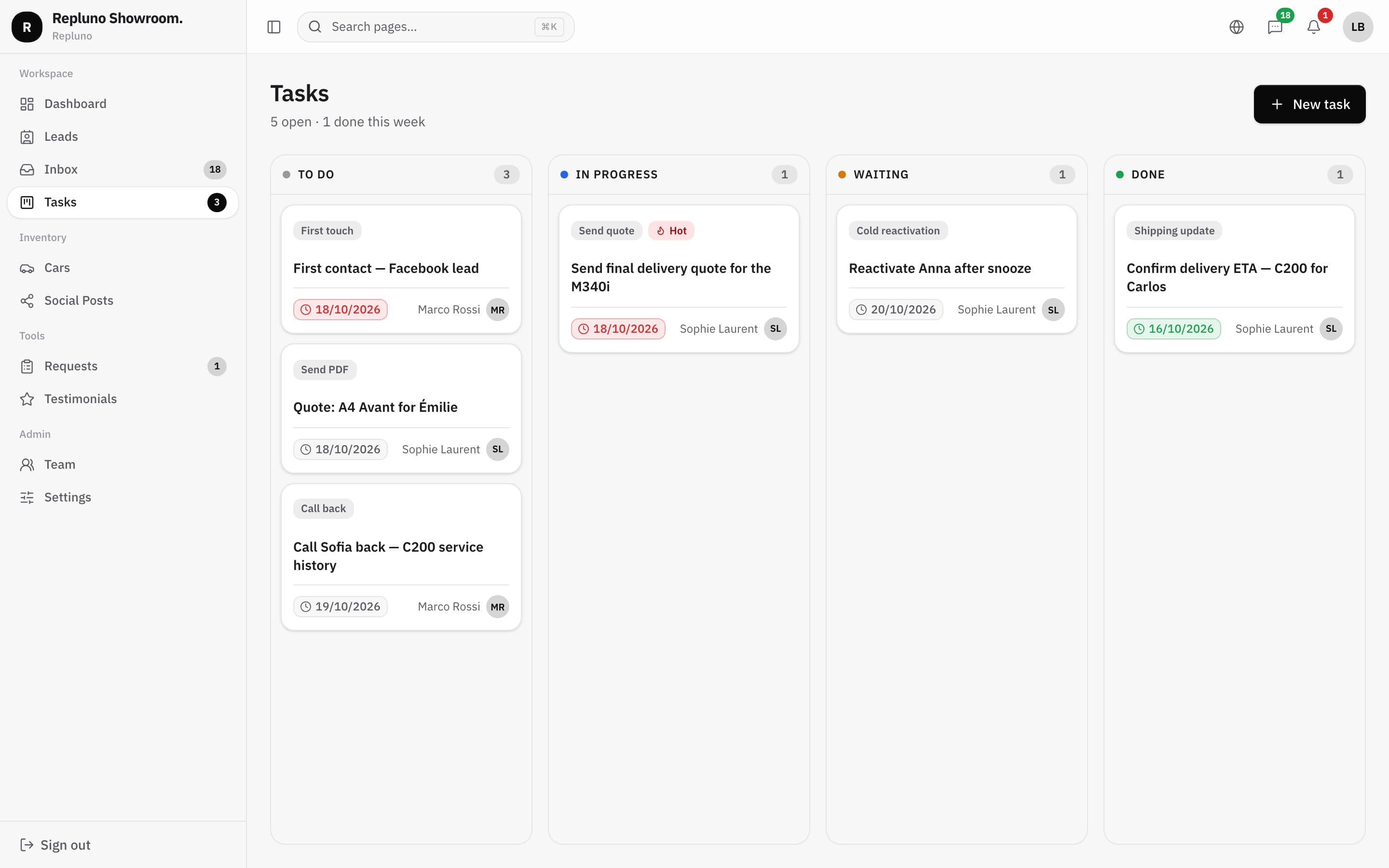
Turn every 'call me tomorrow' into a task with a name, a date and a salesperson. Your team sees what is due today, and nothing slips between two busy days.
01
Made from the chat
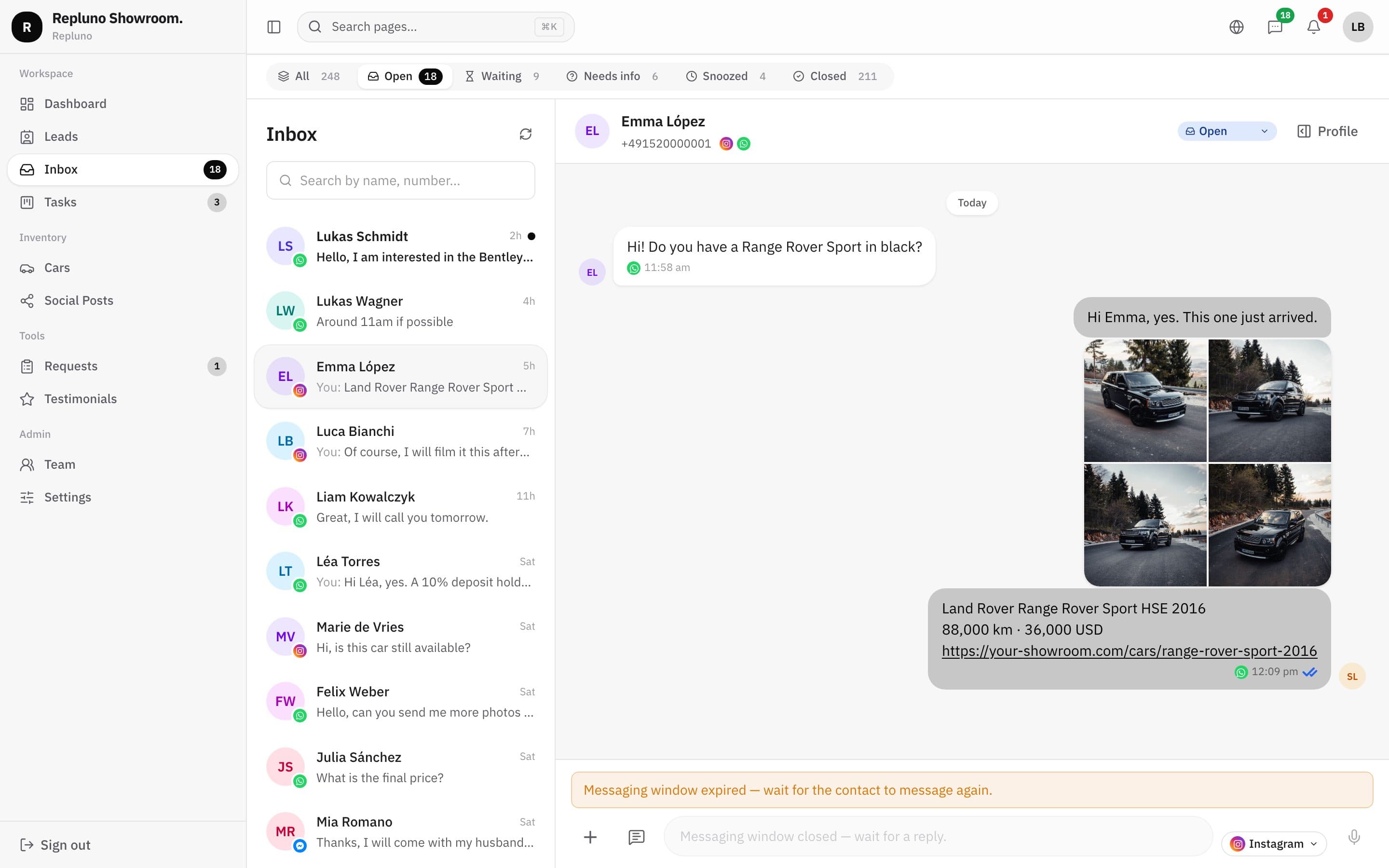
Create a task from the conversation, already linked to the buyer.
02
Assigned and dated
Each task has an owner and a due date, with late ones in red.
03
A board for the team
Drag tasks from to-do to in progress, waiting and done.
From the chat
One click from the conversation
In the message box menu, choose 'Create task'. The task is linked to the buyer, so whoever picks it up has the whole conversation one click away.
- Created from any chat
- Linked to the lead
- Type, due date and salesperson
The board
What is due, what is waiting, what is done
Tasks sit on a board with four columns. Each card shows the task, its due date and the salesperson in charge, and the menu shows how many are open.
- To do, in progress, waiting, done
- Late tasks marked in red
- Count of open tasks in the menu
How it starts
Up and running in three steps.
- 1
Create the task
From the chat or the board.
- 2
Assign it
Pick the salesperson and the due date.
- 3
Close it
Drag it to done when the follow-up is made.
Questions
About the Tasks and follow-ups
Yes. Each task has a salesperson in charge, and anyone on the team can create one.
Yes, when you create them from a chat or a lead. The task opens the buyer's profile.
Late tasks show their due date in red, and the menu shows how many tasks are open.
See your own cars on your own site.
Send the link. We build it. You decide.