Run your showroom
Everyone gets a login. You keep the keys.
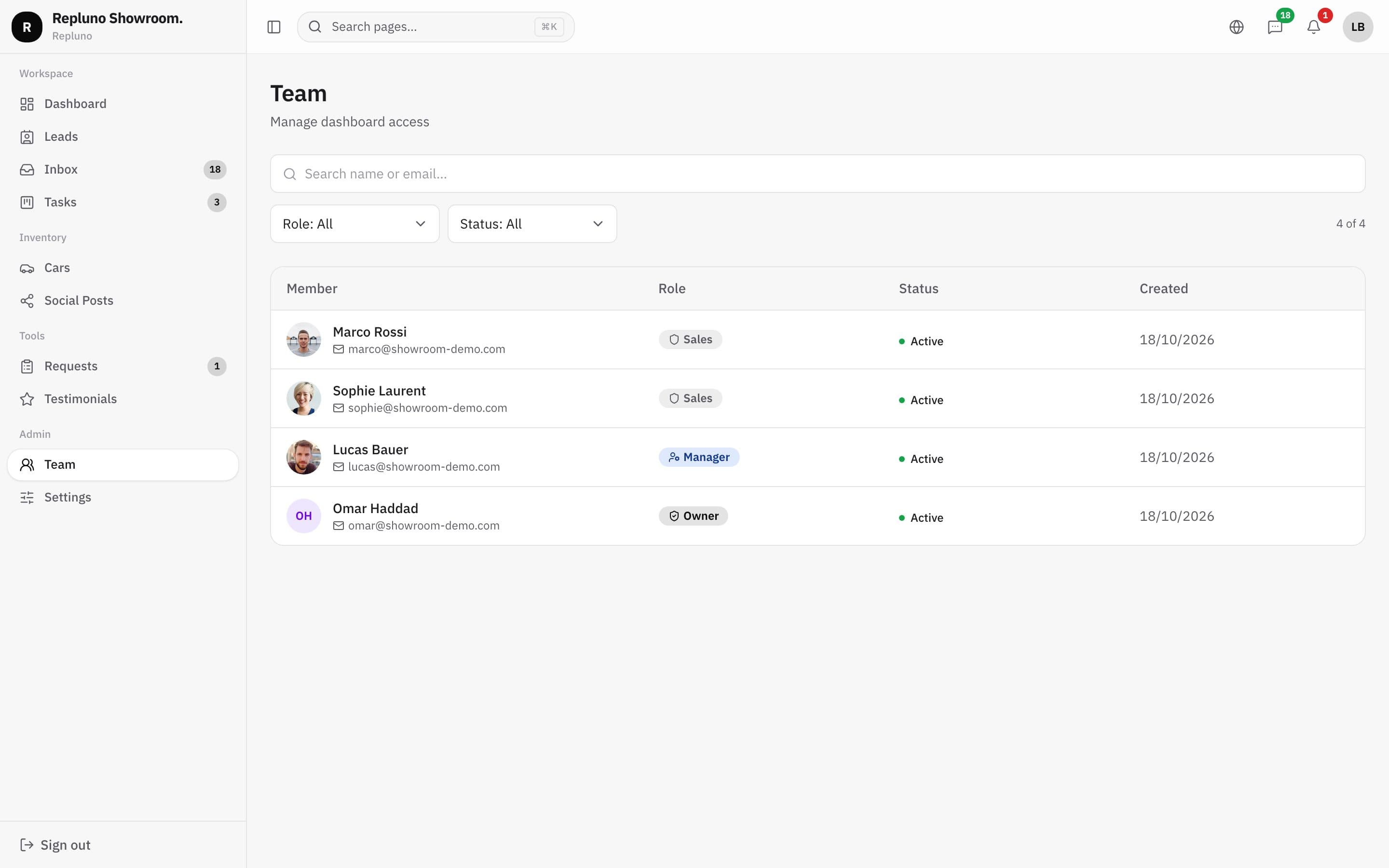
Each person on your team has their own account and a role that matches their job. When someone leaves, you turn off their access and keep every conversation.
01
Three roles
Owner, manager and sales, each seeing what their job needs.
02
Add people in a minute
Add a salesperson with their email and a role.
03
Leave without losing anything
Deactivate an account and their conversations stay with the dealership.
In the inbox
Your team, visible in every chat
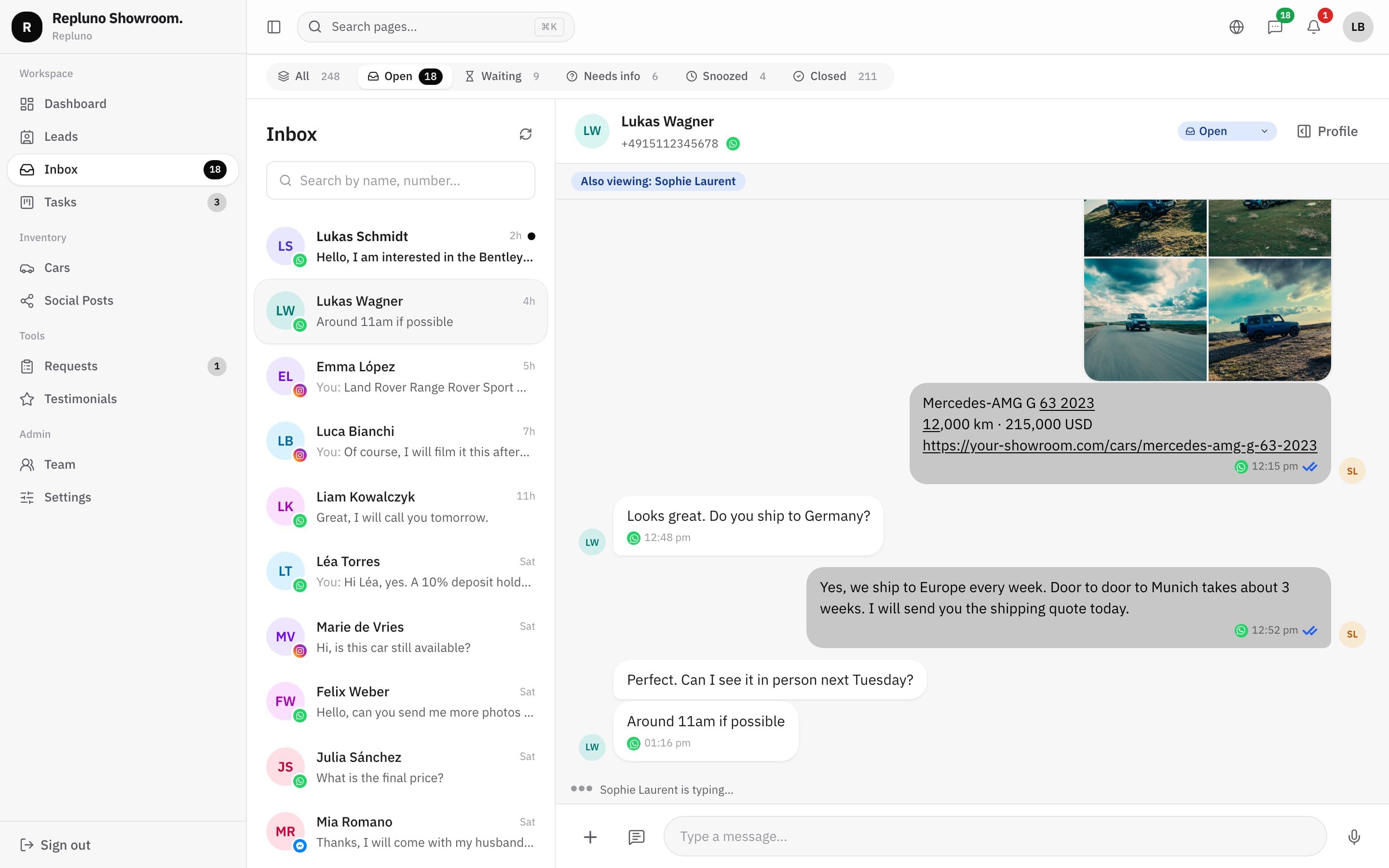
Because each person has a login, the inbox shows who is in a chat, who is typing and who sent each message.
- Who is viewing each chat
- Who is typing
- Initials on every message sent
Salesperson profiles
A page for each salesperson
Each salesperson can have a public profile with their photo, languages spoken and the cars assigned to them, with their own QR card for the lot or a business card.
How it starts
Up and running in three steps.
- 1
Invite your team
Add each person with their email and role.
- 2
They log in
Each one logs in with their own account and starts answering.
- 3
You stay in control
Change roles, reset passwords or turn off access.
Questions
About the Team and roles
The owner manages everything, including team accounts, channels and billing. Managers and salespeople work in the inbox, leads, tasks and stock.
You deactivate their account. Their conversations and leads stay in Repluno for the rest of the team.
Up to 5 team accounts are included. Need more? Ask us.
See your own cars on your own site.
Send the link. We build it. You decide.