Answer every buyer
Answer 'is it available?' in two clicks.
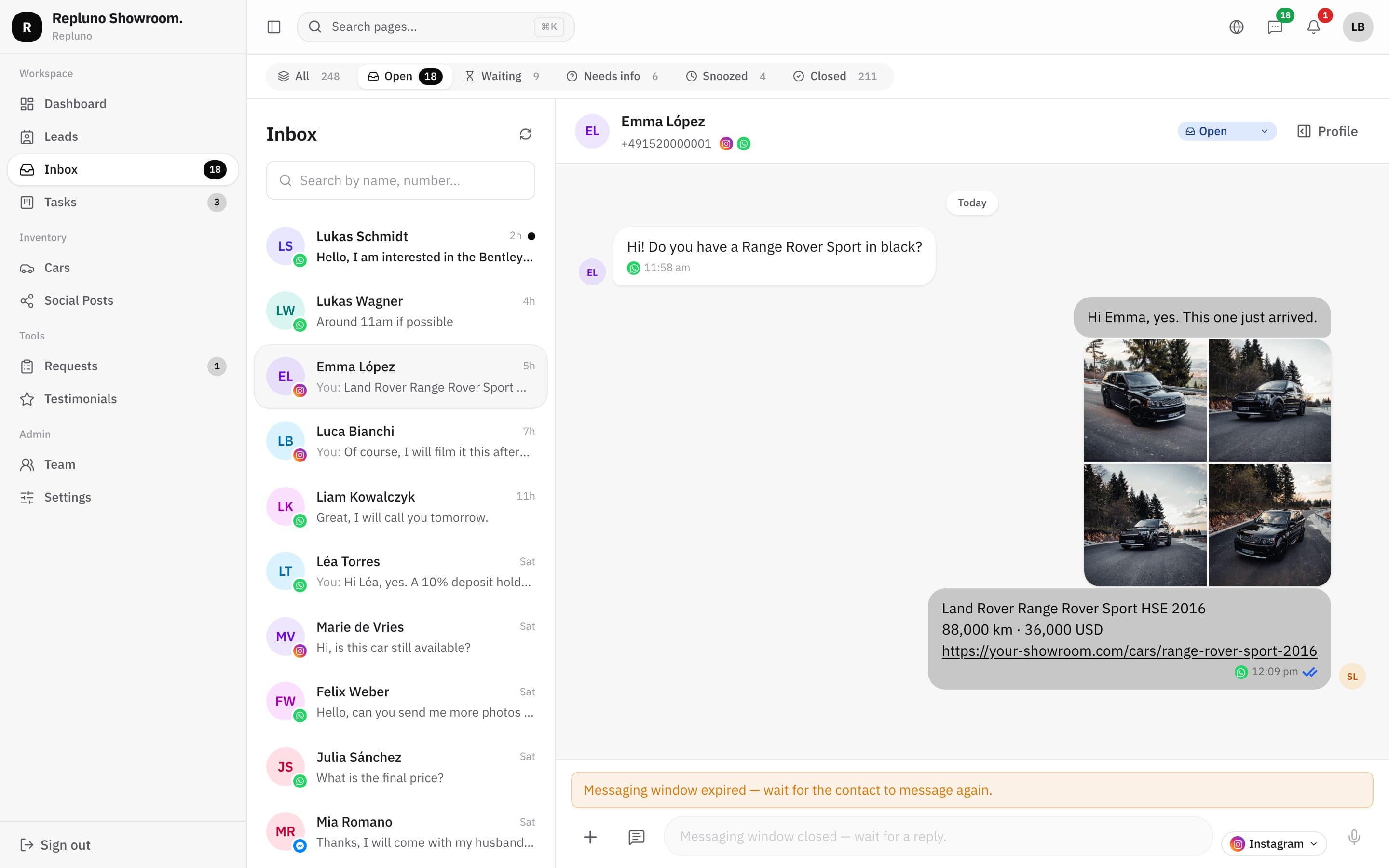
Pick a car from your stock inside the chat and Repluno sends its photos, price, mileage and a link to the car page. No more digging through the phone's gallery.
01
Your stock inside the chat
Search your cars from the conversation and pick the one the buyer asked about.
02
Photos and details together
The buyer receives an album of photos followed by the car's name, mileage, price and link.
03
See who opens the link
When the buyer opens the car page, the visit shows on their profile.
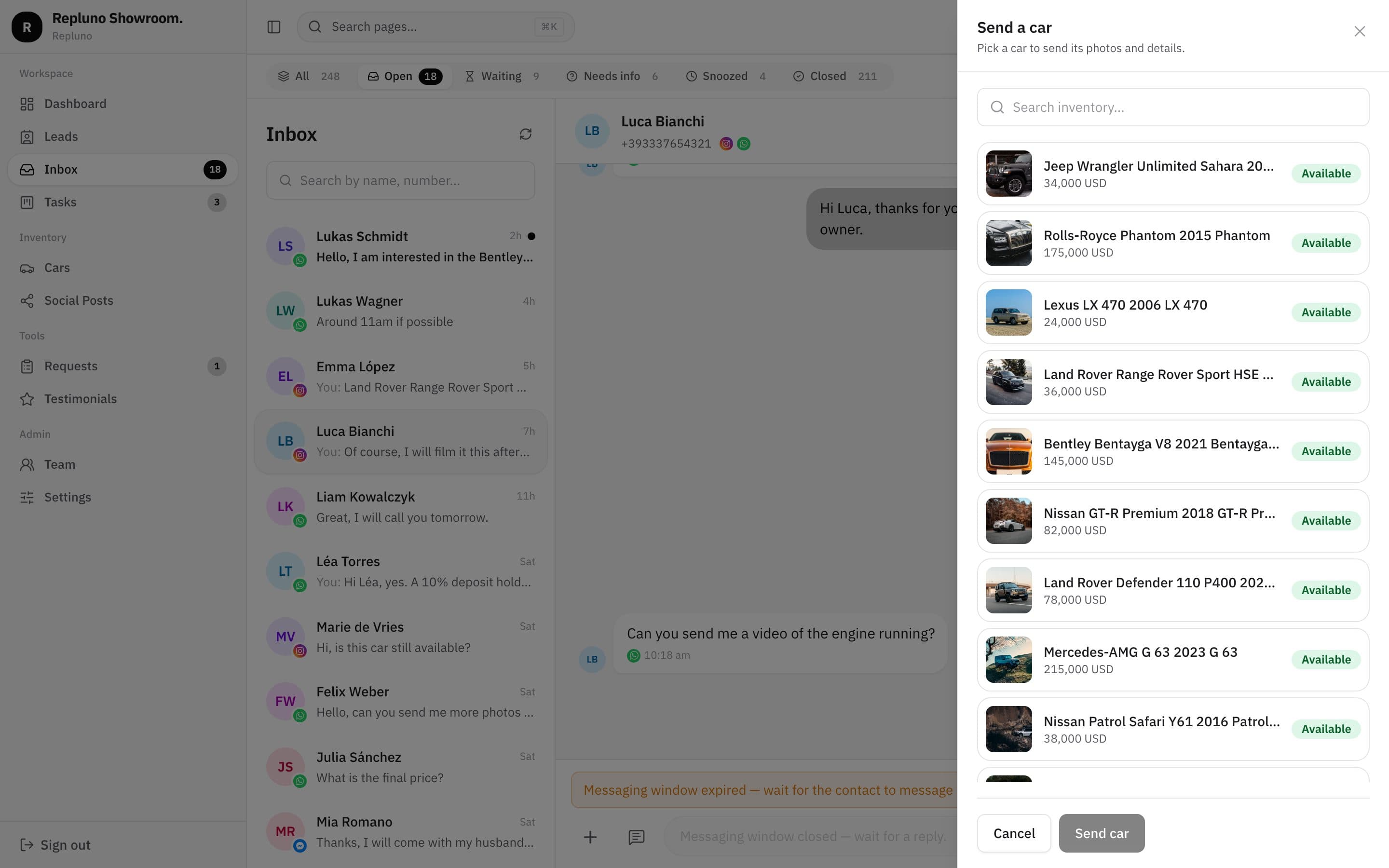
Pick a car
Your whole stock, one search away
Open the menu in the message box, choose 'Send a car', and search by brand or model. Each car shows with its photo, price and status.
- Search by brand or model
- Photo, price and status for each car
- Works in every WhatsApp conversation
What the buyer gets
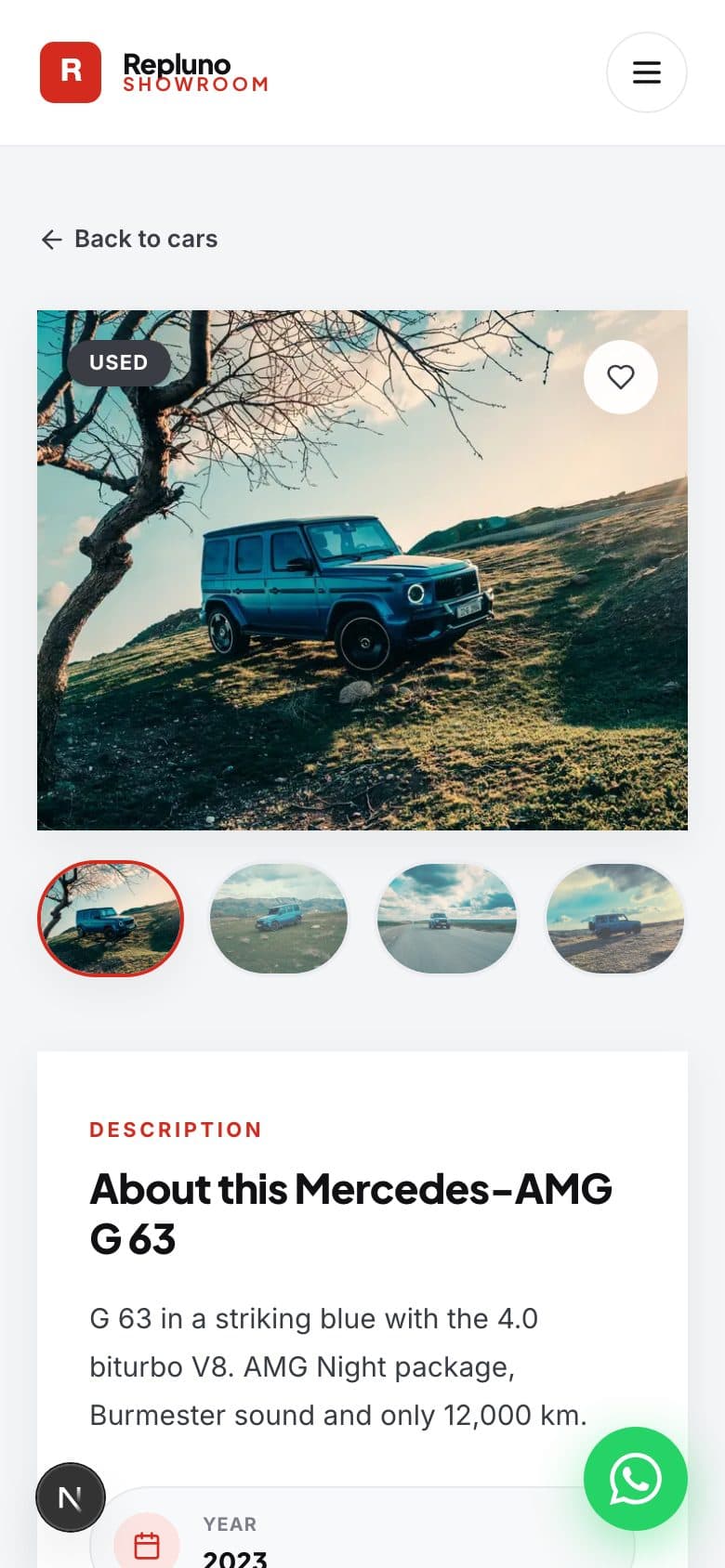
An album, the details and a link
The buyer receives the photos as one album, then a short message with the car's name, mileage, price and the link to its page on your website.
- The car's photos as an album
- Name, mileage and price
- Link to the full car page
After you send
Know when the buyer is looking
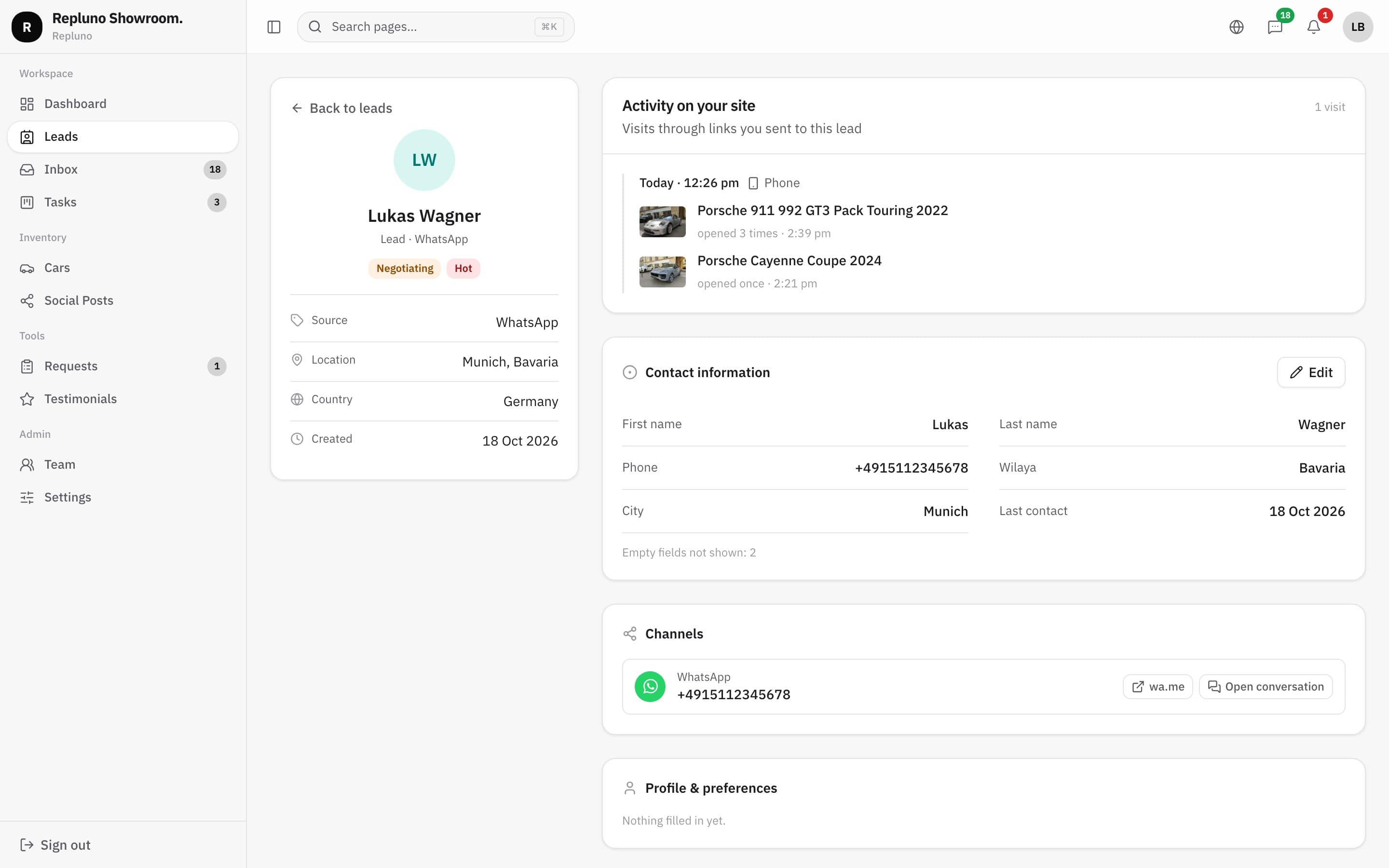
When the buyer opens the link, Repluno records the visit on their profile: which car, when, and on which device. You know who is really interested before you call.
- Car pages opened, with the time
- Device used
- On the lead's profile and in the inbox
How it starts
Up and running in three steps.
- 1
Open the chat
Any WhatsApp conversation in the inbox.
- 2
Send a car
Choose it from the list, Repluno builds the message.
- 3
Follow the visit
See on the profile when the buyer opens the car page.
Questions
About the Send cars in the chat
No. The buyer gets the photos, price and link as normal WhatsApp messages.
Any available car in your stock. The list shows each car's photo and price.
When they open the link, the visit appears on their lead profile with the car and the time.
See your own cars on your own site.
Send the link. We build it. You decide.