Run your showroom
One stock. Everywhere at once.
Add a car once with its photos, specs and price. Your website, your QR codes and the cars you send in chats all use the same record, so a change is everywhere at once.
01
Every detail of the car
Brand, model, year, mileage, specs, trims and prices, in one place.
02
Status that follows the sale
Mark a car available or sold and the whole team sees it.
03
Import and export
Bring your stock from a spreadsheet and export it when you need it.
The car page in Repluno
Everything about a car, on one page
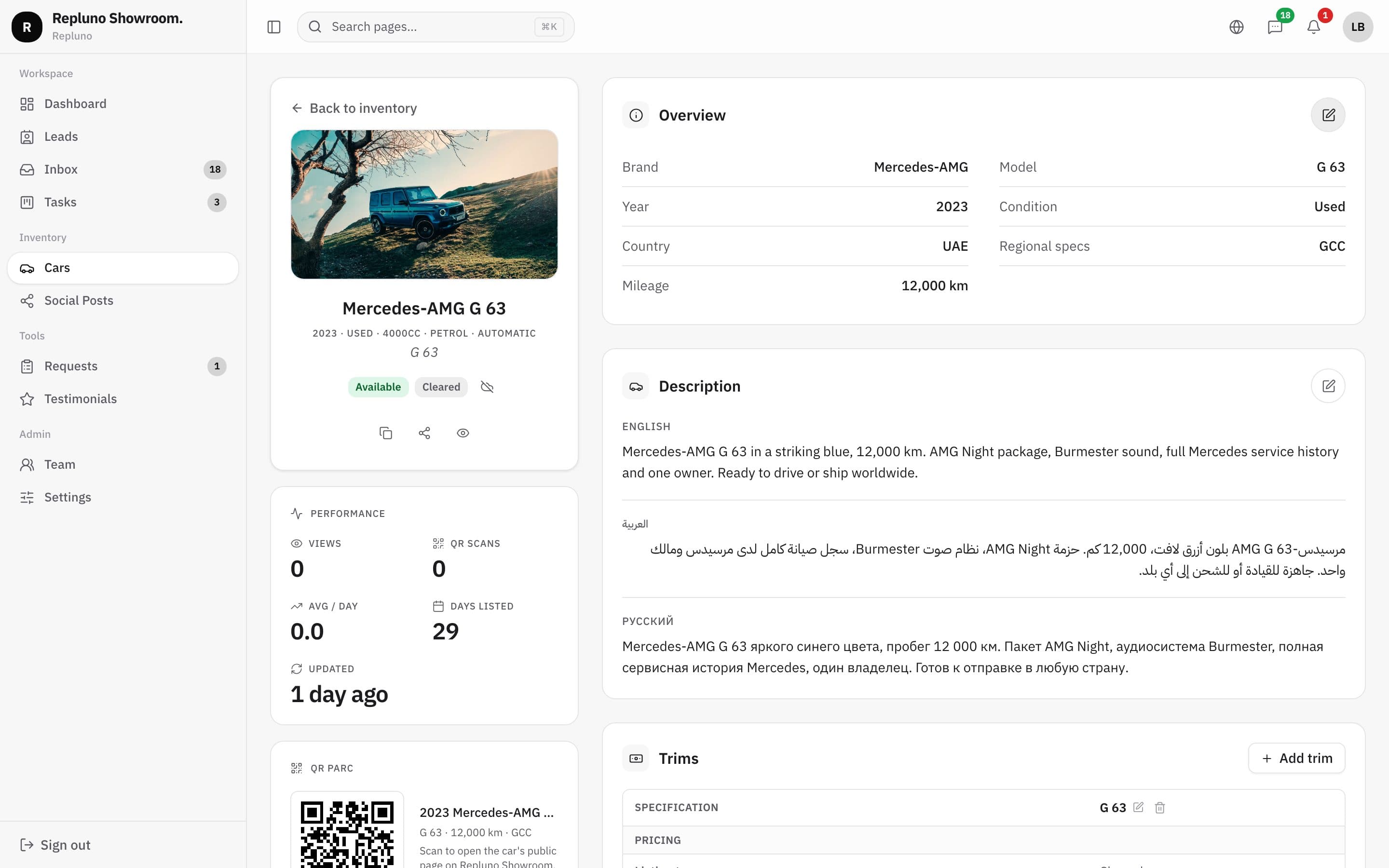
Each car has an overview, a description per language, trims with their own price and specs, a photo gallery, its QR code and its stats. Edit any part without leaving the page.
- Trims with their own price
- Description per language
- Inspection report or damage map
- Views and QR scans per car
On your website
The same car, ready for buyers
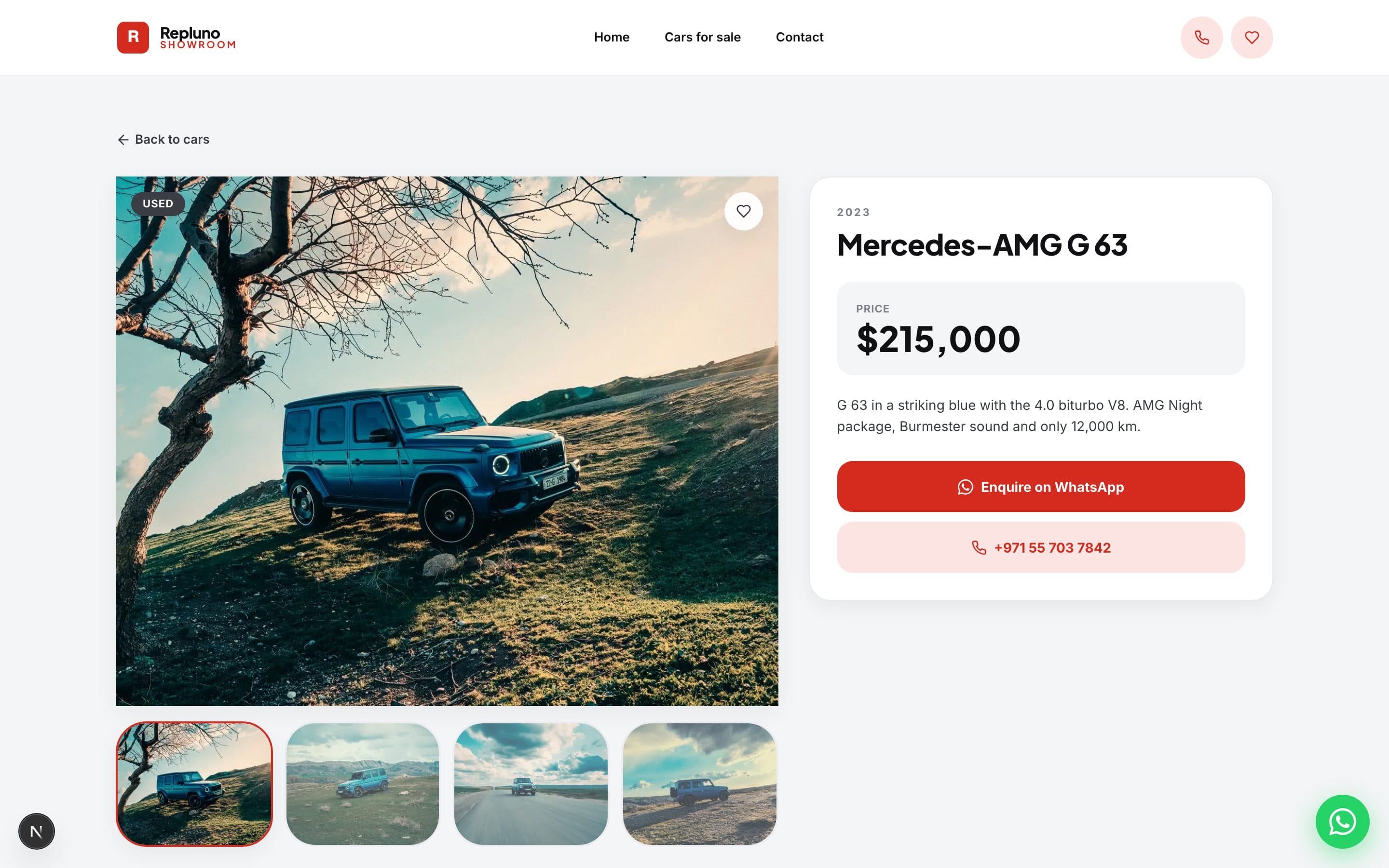
What you enter in Repluno is what buyers see on your website, with the same photos, price and specs, updated the moment you save.
- Price and specs from the same record
- Status shown on the website
- WhatsApp button on every car
Your list
Find any car in seconds
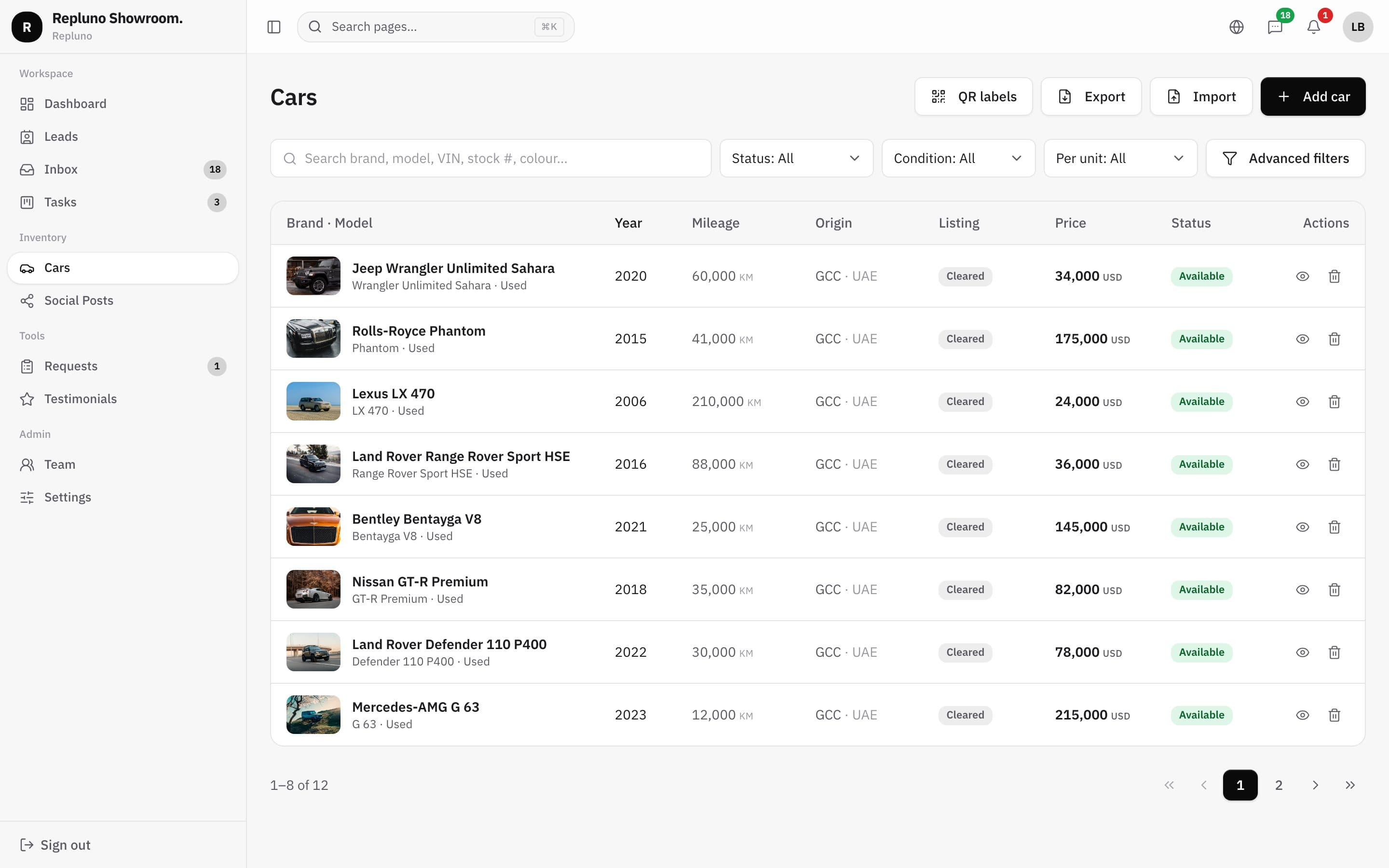
Search by brand, model, VIN, stock number or colour, filter by status and condition, and print the QR labels for your lot from the same page.
- Search by VIN or stock number
- Filters by status and condition
- Print QR labels for the lot
How it starts
Up and running in three steps.
- 1
Add or import your cars
One by one, or from your spreadsheet.
- 2
Add photos and prices
Fill each car's page in Repluno.
- 3
Sell
The website, QR codes and chats use it straight away.
Questions
About the Stock and prices
Yes. Import your cars from a file, then add the photos.
Yes. Each car can have several trims, each with its own price and specs.
Up to 100 cars are included. More than that? Ask us.
See your own cars on your own site.
Send the link. We build it. You decide.